Products / ShapeReach View
Open CAD files in your browser.
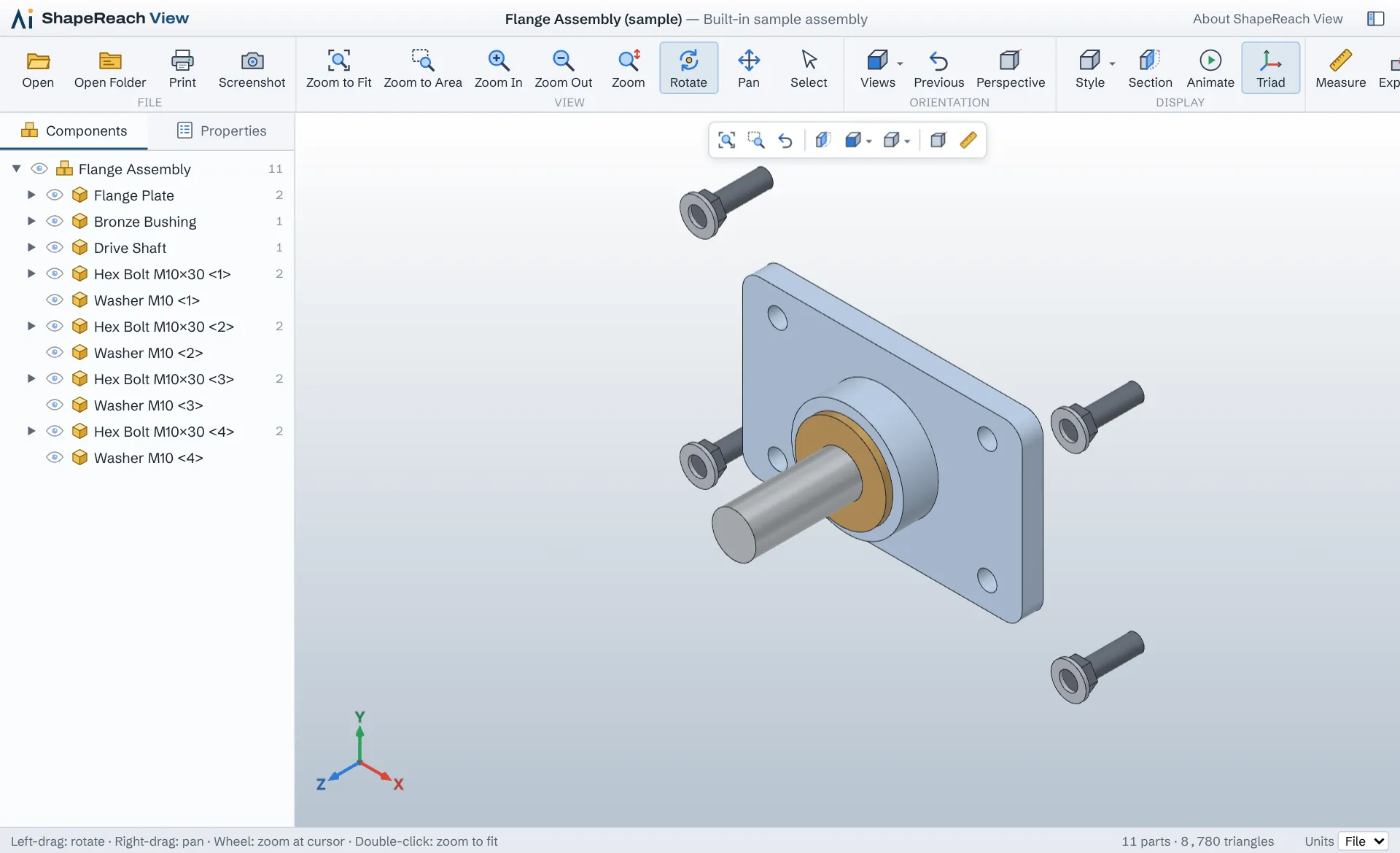
ShapeReach View shows 3D models and drawings right in your browser, with nothing to install and no account. The file stays on your own computer.
- STEP
- IGES
- DXF
- STL
- 3MF
- glTF
- OBJ
- + 13 more formats
01 · Private
The file stays on your computer
The viewer opens the file locally in your browser. The file is not sent to a server.
02 · Tools
Sections, measuring and exploded views
Cut through the model, measure between points and show assemblies apart. The viewer also shows parts, size, volume and surface area.
03 · Installation
Nothing to install
Runs in Chrome, Edge, Firefox and Safari. A whole project folder can be opened, so you can move between its parts, assemblies and drawings.
Formats
The viewer reads these formats. More may be added if there is demand.
| Format | File types | What you see |
|---|---|---|
| STEP, IGES, BREP | .step .stp .iges .igs .brep | Exact 3D geometry with the assembly’s parts, colours and edges |
| DXF | .dxf | 2D and 3D drawings with layers, blocks, text, dimensions and layouts |
| PDF and SVG | .pdf .svg | Drawings as sheets in millimetres, sharp at any zoom |
| Rhino | .3dm | 3D models with their colours. Surfaces saved without display meshes are shown by their edges |
| Triangle meshes | .stl .obj .ply .3mf .amf .off | For example for 3D printing and scanning, including 3MF projects from slicers |
| 3D for web and film | .glb .gltf .fbx .dae .3ds .wrl | Models with materials, colours and textures |
| Point clouds and machines | .xyz .pcd .gcode .nc | Scans and tool paths from 3D printers and CNC machines |
The viewer does not open CAD programs’ own file formats. Save or export the model as STEP and the drawing as DXF or PDF, and it can be opened here.
Names of programs and file formats belong to their owners. ShapeReach View is not affiliated with or endorsed by them.
Editions
The free edition stays free. A Pro edition for sharing models with customers and colleagues is planned.
Free
€0
For viewing, measuring and showing files.
- All the formats above
- Rotate, zoom, standard views and perspective
- Sections, measuring and exploded views
- Parts, properties and units
- Print and save a screenshot
- No account
Pro Planned
For sharing models with customers. Content and price will be settled with the first users.
- Share a view with a link
- Comments and markups on the model
- Save sections and measurements with the file
Questions and answers
Is the viewer free?
Yes. The free edition needs no account and no card, and may be used both privately and commercially.
Is my file sent anywhere?
No. The file is opened in your browser on your own computer and is not sent to Alive Indeed or anyone else. The viewer only remembers your settings, such as units, in your own browser.
Can I open files from SolidWorks, AutoCAD (DWG) or Inventor?
Not directly. Save the model as STEP in your CAD program, and it opens here with the assembly’s parts and colours. Save drawings as DXF or PDF.
How large can files be?
There is no fixed limit. The file is opened by your own computer, so how large a file you can open, and how fast, depends on it.
Does it work on a phone?
You can open, rotate and zoom with your fingers on phones and tablets. Sections and measuring work best with a mouse on a larger screen.
What unit are the measurements in?
STEP, IGES and DXF store their unit, and measurements are shown in it. STL and OBJ store no unit, so pick one at the bottom right of the viewer.